What Is Two-Factor Authentication and Why It Is Essential for Financial Security
In today’s digital landscape, safeguarding our financial assets is more crucial than ever. With cyber threats on the rise, understanding the measures that can protect your sensitive information is essential. One such robust security protocol is Two-Factor Authentication. This innovative approach adds an extra layer of verification, making it significantly more challenging for unauthorized individuals to access your financial accounts. In this blog post, we will delve into what Two-Factor Authentication is, how it works, and why it is a non-negotiable element of financial security. Whether you’re a seasoned tech user or just beginning to explore online finance, ensuring the safety of your accounts starts with understanding this critical tool.
Understanding Two-Factor Authentication
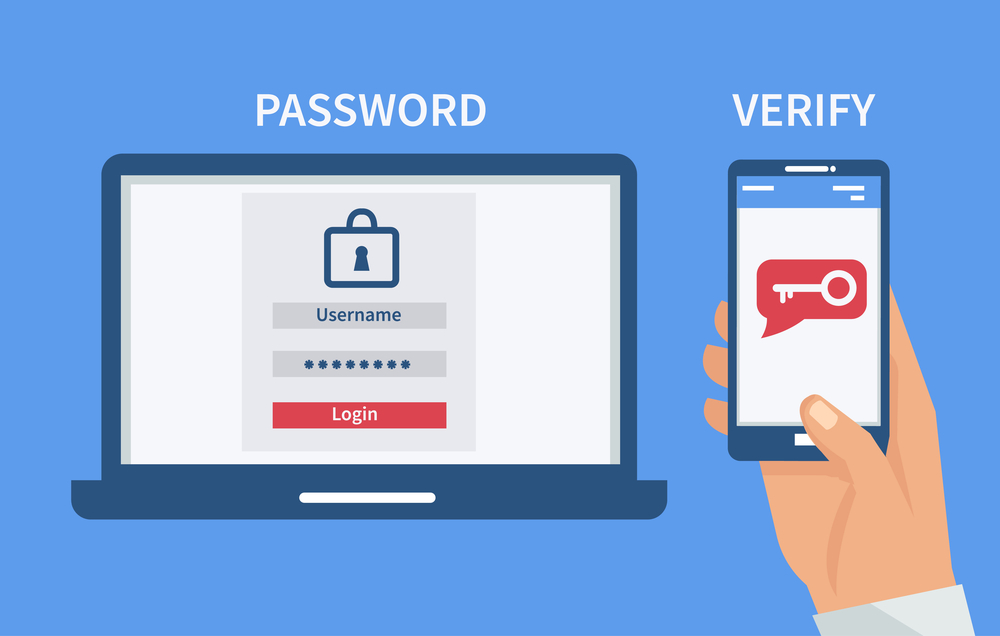
Two-Factor Authentication (2FA) is a critical security protocol designed to protect your sensitive information. It adds an extra layer of security by requiring not just a password but also a second form of verification. Understanding 2FA is essential for safeguarding financial transactions and personal data. Here are some key points that highlight its significance:
- What is 2FA?
- A security measure requiring two forms of identification.
- How It Works:
- First Factor: A password you know.
- Second Factor: Something you have (like a smartphone) or something unique to you (like a fingerprint).
| Aspect | Description |
|---|---|
| Purpose | Enhances security by adding an additional verification step. |
| Benefits | Protects against unauthorized access and identity theft. |
| Common Uses | Online banking, email accounts, and other sensitive sites. |
By adopting Two-Factor Authentication, you significantly reduce the risk of unauthorized access, ensuring that even if your password is compromised, your financial security remains intact.

How Two-Factor Authentication Works
“Two-Factor Authentication adds an extra layer of security by requiring not only a password but also a second verification step.” This dual approach effectively ensures that even if a password is compromised, unauthorized access to accounts remains unlikely.
Key Mechanisms of Two-Factor Authentication
| Mechanism | Description |
|---|---|
| SMS or Email Codes | Users receive a code via text or email after entering their password. |
| Authentication Apps | Apps like Google Authenticator generate time-sensitive codes. |
| Biometric Verification | Fingerprints or facial recognition serve as the second factor, increasing security. |
| Security Tokens | Physical devices that generate or store authentication codes, enhancing protection. |
Once users enter their password, they must complete the second step to gain access. Thus, Two-Factor Authentication transforms the login process into a more secure experience, significantly reducing the risk of unauthorized entry.
The Importance of Two-Factor Authentication for Financial Security
In today’s digital landscape, Two-Factor Authentication (2FA) emerges as a vital security measure for safeguarding financial assets. By requiring users to provide two separate forms of verification, 2FA significantly reduces the risk of unauthorized access.
Why is 2FA Crucial?
- Enhanced Protection: With password breaches becoming rampant, relying solely on passwords is risky. 2FA provides an extra layer of protection, making it harder for hackers to compromise accounts.
- Fraud Prevention: Financial transactions often require immediate confirmation. By integrating 2FA, users receive alerts for transactions, minimizing the potential for fraud.
- User Confidence: When customers know their accounts are shielded by 2FA, it increases their confidence in using online financial services. This trust is essential for fostering long-term relationships with clients.
| Benefit | Single-Factor Authentication | Two-Factor Authentication |
|---|---|---|
| Security Level | Low | High |
| Risk of Unauthorized Access | Moderate to High | Low |
| User Awareness of Transactions | Low | High |
Implementing Two-Factor Authentication is not just a precaution; it is an essential strategy for anyone serious about financial security.
Common Methods of Two-Factor Authentication
Implementing Two-Factor Authentication (2FA) significantly bolsters your security. Below are some common methods that organizations use to verify user identity:
| Method | Description |
|---|---|
| SMS/Text Message | A code is sent to your registered mobile number. |
| Authenticator Apps | Mobile apps like Google Authenticator generate time-sensitive codes. |
| Email Verification | A code is sent to your registered email address for verification. |
| Biometric Verification | Uses your fingerprint or facial recognition for access. |
| Hardware Tokens | A physical device that generates a login code. |
“Using multiple verification methods not only adds an extra layer of security but also makes unauthorized access significantly harder.”
By utilizing these methods, you can enhance your financial security and ensure that your accounts remain safeguarded against potential threats. Each method possesses its advantages, so consider a combination for optimal protection.
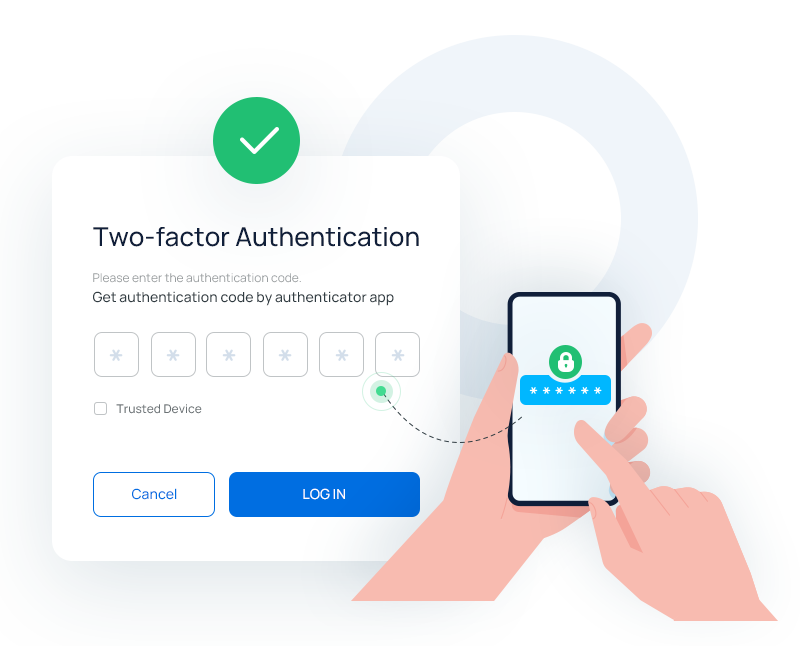
Steps to Enable Two-Factor Authentication on Financial Accounts
Enabling Two-Factor Authentication on your financial accounts significantly enhances security. Follow these simple steps to set it up:
| Step | Description |
|---|---|
| 1 | Log In: Access your financial account using your credentials. |
| 2 | Navigate to Security Settings: Find the security or account settings section within your profile. |
| 3 | Select Two-Factor Authentication: Look for the option to enable Two-Factor Authentication or 2FA. |
| 4 | Choose a Method: Select a preferred method—SMS, authenticator app, or email verification. |
| 5 | Enter Verification Code: Once you receive the code, input it to confirm the setup. |
| 6 | Save and Test: Save your changes and log out. Test the new setup by logging in again to ensure it works perfectly. |
By following these steps, you can solidify the defense against unauthorized access, thus protecting your financial resources. Remember to regularly update your security settings to keep pace with evolving threats.
Frequently Asked Questions
What is Two-Factor Authentication (2FA)?
Two-Factor Authentication, often abbreviated as 2FA, is a security process that requires two distinct forms of identification to verify a user’s identity. It combines something you know, like your password, with something you have, such as a security token or a smartphone authentication app. This layered approach significantly enhances security because, even if someone acquires your password, they would still need the second factor to access your account.
What are the benefits of using Two-Factor Authentication for financial accounts?
The primary benefit of using Two-Factor Authentication for financial accounts is the increased level of security it provides. By requiring an additional authentication step, it protects your sensitive financial information from unauthorized access and potential fraud. Even if your password is compromised, a hacker would be unable to gain entry without the second factor. This makes it much harder for cybercriminals to infiltrate bank or investment accounts, ensuring your financial assets are better safeguarded.
How can I set up Two-Factor Authentication on my financial accounts?
Setting up Two-Factor Authentication on your financial accounts typically involves going into your account security settings. Most banks and financial services provide a straightforward process where you can enable 2FA. You may be prompted to register your phone number or an authentication app. Follow the instructions, usually involving receiving a code via SMS or using an app to generate a time-based one-time password (TOTP). Ensure that you keep backup codes in a safe place in case you lose access to your 2FA method.
What happens if I lose my device that is set up for Two-Factor Authentication?
If you lose your device that is set up for Two-Factor Authentication, it is crucial to act quickly to regain access to your accounts. Most financial institutions provide alternative recovery options, such as security questions or backup codes that you should have saved when enabling 2FA. If those options fail, you may need to contact customer support for additional steps. They will guide you through verifying your identity and regaining access to your account securely.